
Unitree R1 — specifications, versions and availability
R1 comes in three versions: AIR, R1 and EDU. The first two have public prices; EDU is configured for development needs.
View the images ↓ Enlarge ↗
Manufacturer composition showing R1 appearance customisation. Industrial arms in the background are scenery.
Unitree Robotics · Source ↗From information to action
What changed
Monitoring started on 9 September 2026. Future changes will appear here after editorial review.
A closer look
Understand the robot in images
Open a view to inspect it. Captions distinguish equipment, variants and demonstrations.
 Enlarge ↗
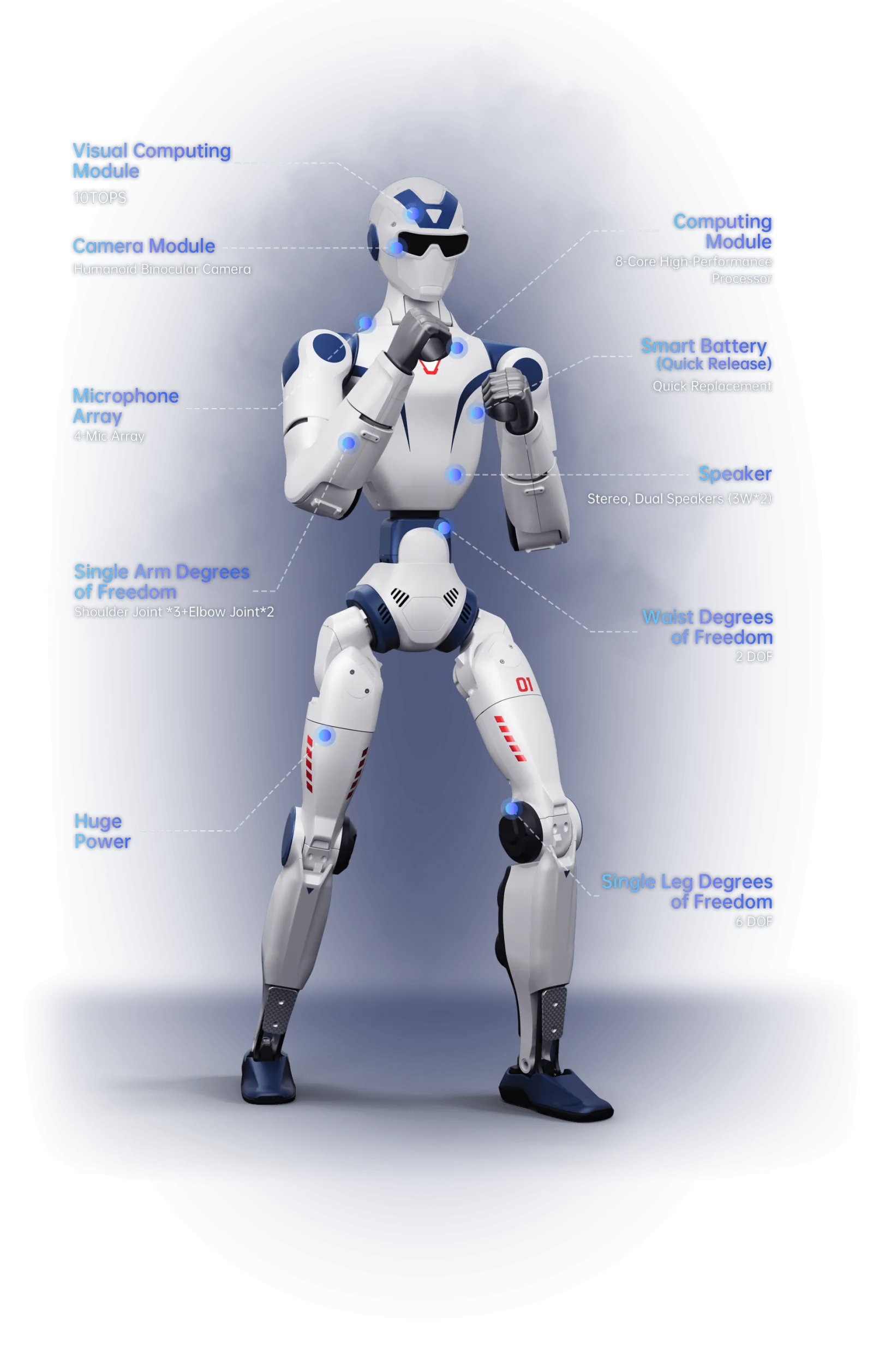
R1 architecture
The diagram locates compute modules, cameras, microphones and body joints. It illustrates R1; R1 AIR has fewer joints and does not include every feature shown.
Unitree Robotics · View source ↗Sources
Information from the sources below, checked on 10 September 2026. We have not tested this robot.
AIR, R1 or EDU?
The entry price applies to R1 AIR, not to an EDU setup equipped for research. Compare joints, sensors and software access before choosing: the three versions share a range name but have different equipment.
Availability
- R1 AIR and R1 have published prices. For EDU, ask for a quote listing the equipment and European delivery terms.
Before ordering
- Does the advertised price apply to AIR, R1 or EDU?
- Which sensors and development tools are included?
Things to know
- Advertised performance varies with equipment and operating conditions.
- Before using it unattended, check which tasks the robot can actually complete on its own.
Warranty and repairs
Who provides after-sales service?
Check with the sellerBefore ordering, ask who will repair the robot, where parts should be sent and how long repairs take. Clarify the warranty and available training.